

By Zeeshan · Last updated October 25, 2026
Direct answer: To record product noise for an Amazon review video, keep the phone or microphone in a fixed position, record the room before switching the product on, and preserve an uninterrupted sample at each stated setting. Explain the recording conditions and limits instead of treating phone playback as a calibrated loudness measurement.
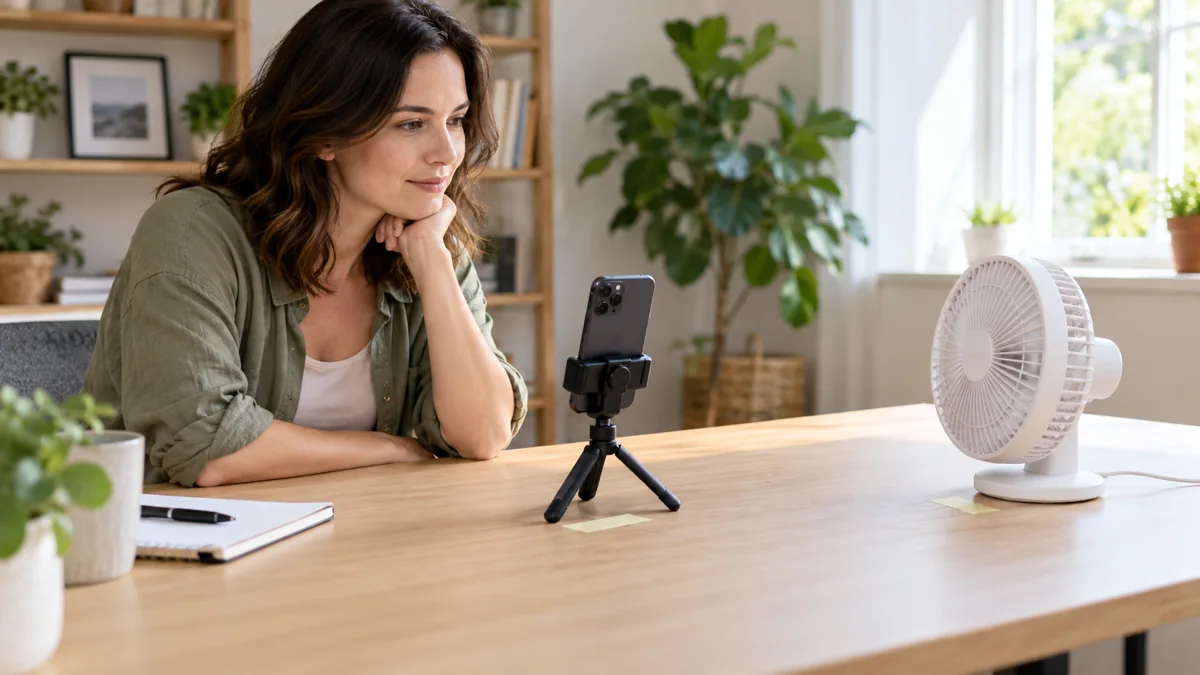
A fan can sound quiet in one clip and loud in the next simply because the phone moved. Add music or voice isolation and the hum a shopper wanted to hear may disappear altogether. Put the recording position first, then build the video around a sound sample the viewer can actually listen to.
For help organizing the explanation around your sound sample, take a look at the current ACE training offer.
Table of Contents
What can a phone recording actually show?
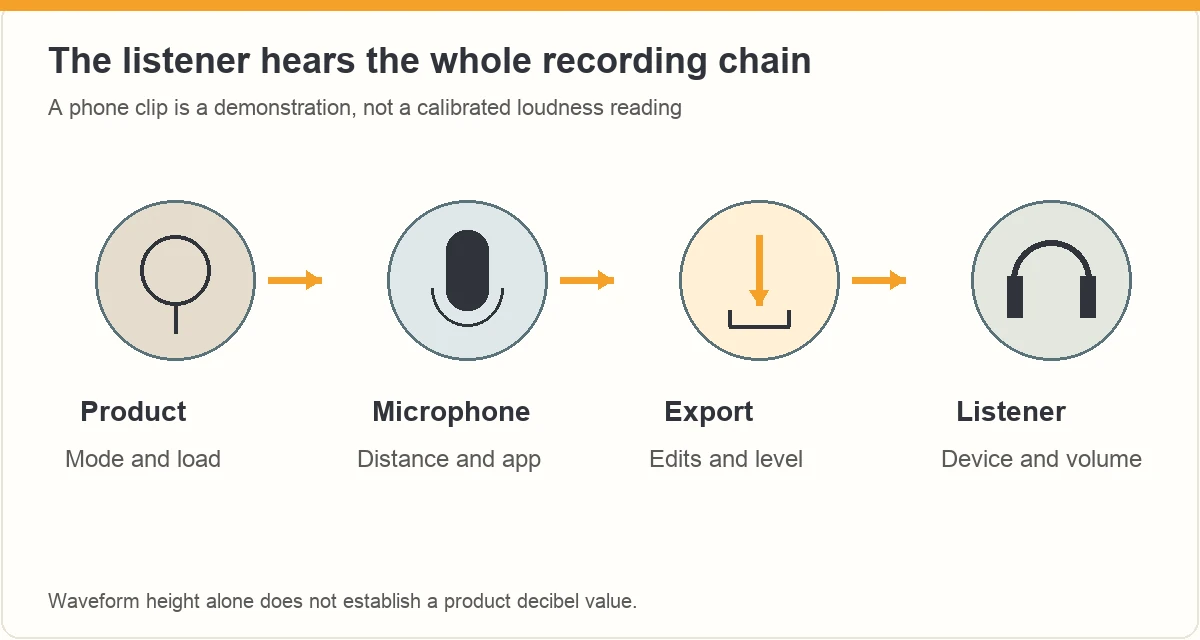
A recording can help a viewer hear the character of a sound in a stated setup: a steady hum, an intermittent rattle, a click or a change between settings. It cannot tell every listener exactly how loud the product will feel in their own room.
The viewer’s playback volume, headphones and device also affect the experience. Use careful language such as “here is the sound from this recorded position.” Avoid “silent,” “inaudible” or “the quietest” unless you have evidence that supports that broader statement.
Before filming, decide whether sound is the most useful question for the product. The short-review product guide can help narrow the demonstration to one decision a buyer needs to make.
How should you set up the room and microphone?
Choose a room where you can identify the main background sounds. Pause unrelated music or a television, close a noisy door if practical and note any sound you cannot remove. Do not stage a setting so unusual that it no longer resembles the use you are describing.
- Place the product safely in its normal operating position.
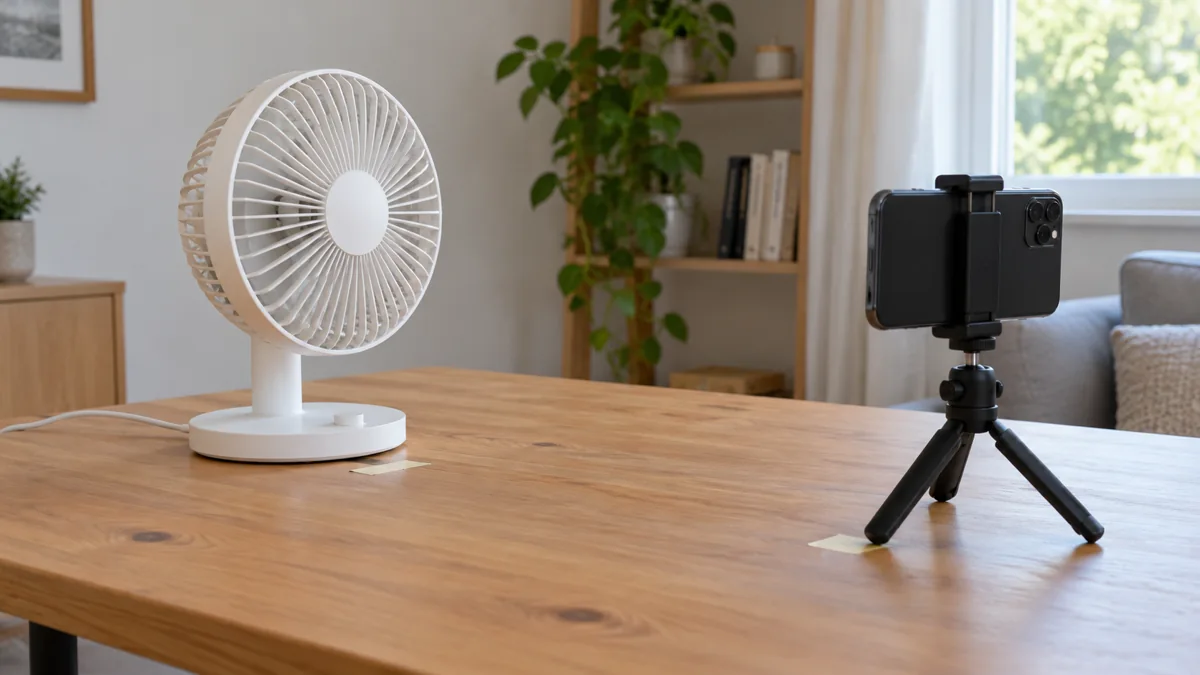
- Put the phone or microphone on a stable support.
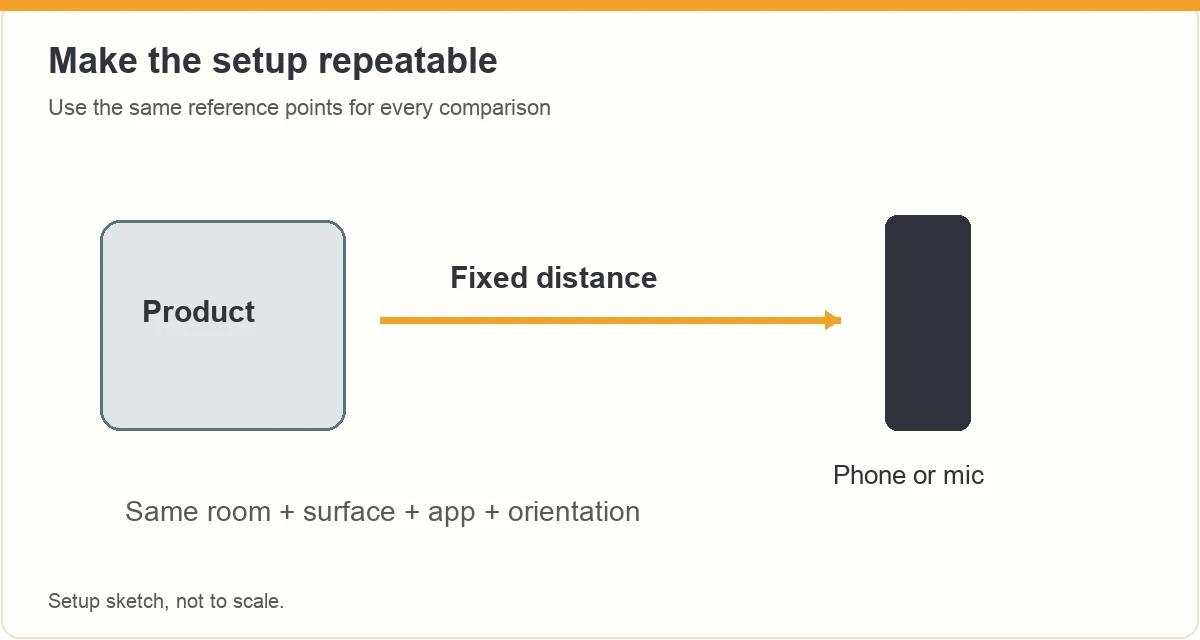
- Mark both positions with removable tape or another simple reference.
- Measure and record a practical distance, using the same reference points each time.
- Keep the microphone orientation and recording app the same for the comparison.
A distance such as 50 cm can be a repeatable choice for a desk example; it is not an Amazon standard or a universal test distance. Keep the microphone away from direct fan airflow when that would cause wind noise, and explain any change you make.
Shure’s recording guidance explains that microphone distance changes the balance between direct sound and the room. That is why moving the phone between samples weakens the comparison.
Which recording settings can change the result?
Check whether your app applies voice isolation, noise reduction, enhancement or automatic level changes. Some controls may be unavailable or automatic. Record those limits rather than claiming the file is completely unprocessed when you cannot verify that.
Apple’s Voice Memos instructions show that microphone distance adjusts the recorded level and that Voice Isolation can filter background sounds. That is useful for speech, but a product hum may be the sound you are trying to preserve. These are examples of app behavior, not instructions that every camera app uses the same processing.
| Setting or edit | Possible problem for the demonstration | Practical response |
|---|---|---|
| Voice isolation | Product sound may be treated as background | Check the app and keep the original sample |
| Separate gain changes | Samples no longer have the same treatment | Keep settings consistent and disclose changes |
| Music or narration | Important hums or clicks become hard to hear | Leave the sound segment unobstructed |
| Speed changes | The sound’s timing and character change | Use normal speed for the sound sample |
What should the uninterrupted sound sequence include?
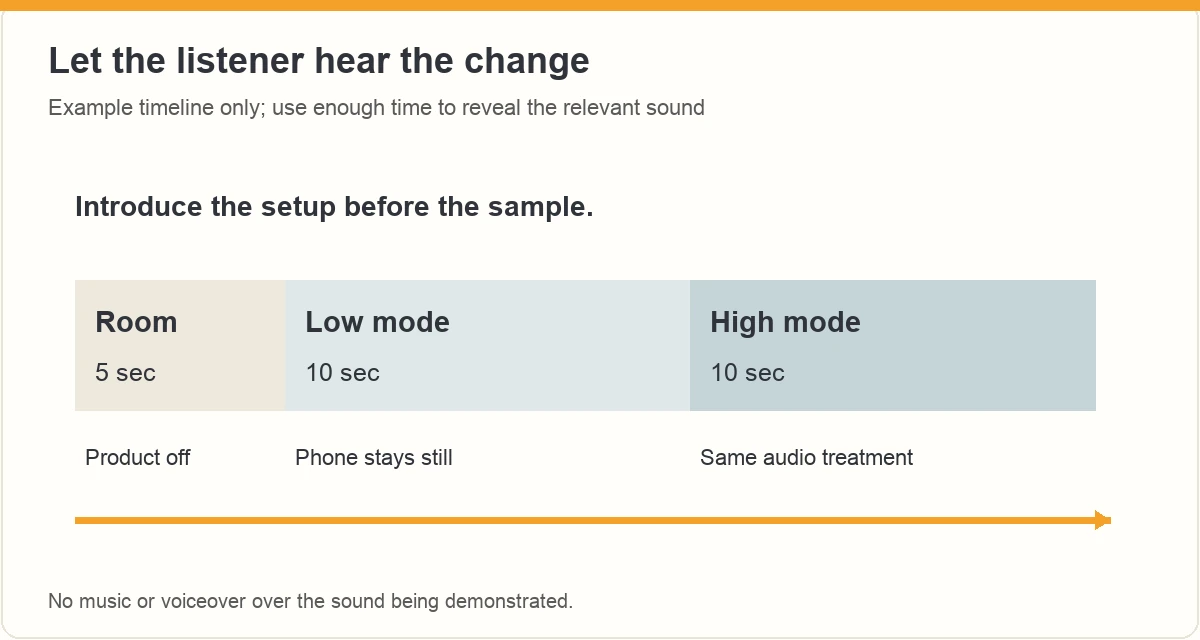
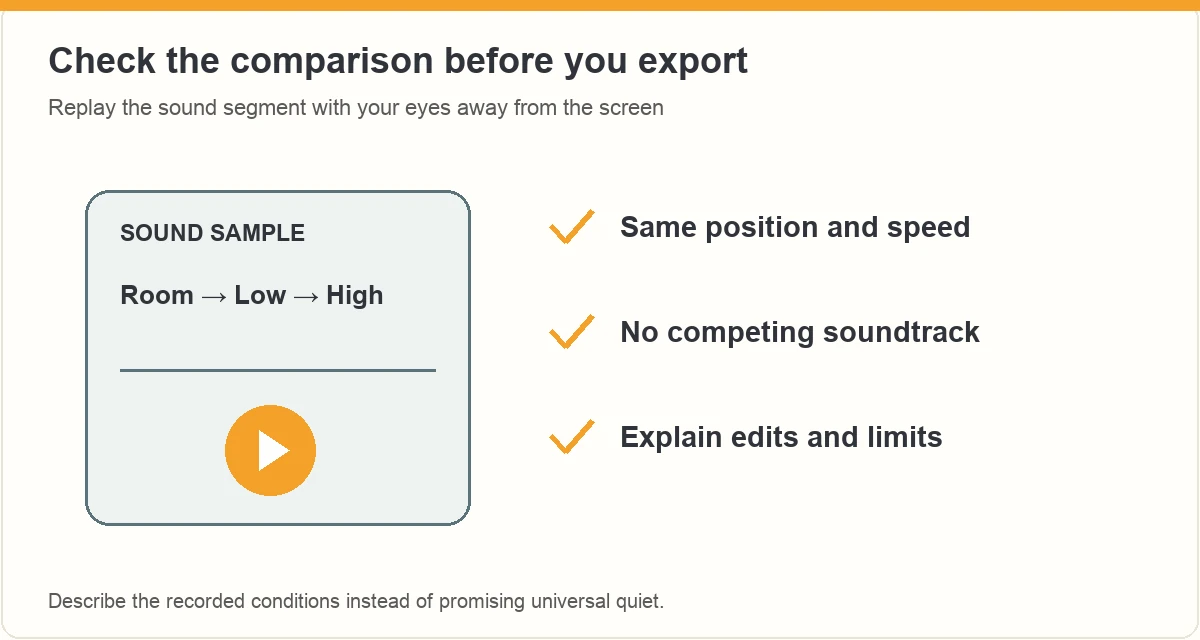
Begin with a few seconds of the room while the product is off. Show the control and the selected mode, switch the product on and leave enough uninterrupted audio for the listener to understand the steady sound. Return to the off state when useful.
For a hypothetical desk-fan review, record room tone, low mode, the switch to high mode, high mode and the return to off. Keep the tripod still. Introduce the setup before the sample so you do not need to talk over it.
A short planning example is five seconds off, ten seconds at the first setting and ten seconds at the second. Those durations are an editorial starting point, not platform requirements. Use a longer sample when an intermittent sound is the actual question, and identify where edits occur.
If the product needs a warm-up or a changing load, explain that condition. Do not compare one item under load with another at idle and describe the result as a fair loudness ranking.
How can you compare two products more fairly?
Keep the room, surface, recording device, app, orientation and source-to-microphone distance consistent. Record one product, then replace it at the marked position for the second sample. State the mode used for each, especially when their controls are not directly equivalent.
Use the same editing treatment for both. Automatic processing can still react differently to different sounds, even with the same setup, so present the recording as a useful illustration with limits. Do not infer a precise sound-pressure difference from how large the waveform looks.
Preserve the original clips and write down the setup while it is fresh. Our batch-production guide can help organize multiple videos, but keep each sound comparison’s conditions attached to its own files.
Which claims should you leave out?
Do not label a phone recording with an invented decibel value. Do not turn a casual listening comparison into a hearing-safety assessment, a laboratory result or a promise that the product will not disturb anyone.
A specific observation is enough: “In this room, from the marked position, the high setting has a more noticeable hum than low.” Use that line only if your actual recording supports it. If you cite a manufacturer’s sound specification, identify it as their specification and preserve its stated conditions.
The FTC’s influencer guidance requires honest experience and support for product claims. A stronger adjective cannot replace a better recording. Keep any brand relationship disclosure clear in the video when required.
What belongs in the final sound check?
- The product, mode and recording position are explained.
- The room baseline and product sample remain audible.
- There is no music or voiceover covering the important sound.
- Edits, processing and uncertain automatic settings are not concealed.
- The export has been played on a phone and through headphones.
- The conclusion describes the recording rather than promising a universal experience.
Use the script guide to put the setup explanation before the sample and the interpretation after it. Keep the sound itself as the evidence between those two lines.
Amazon retains discretion over use and removal of influencer content under its Influencer Program Policy. A consistent recording method does not guarantee acceptance, placement or earnings.
Frequently asked questions
Can I measure decibels from the video’s waveform?
A waveform shows the recorded signal, which depends on the microphone, gain, processing and distance. It is not by itself a calibrated sound-pressure reading. Use it to find edits or inspect a recording, but do not convert its height into a decibel claim about the product without a valid measurement method.
Should I turn noise reduction off?
If your goal is to demonstrate the product sound, check whether noise reduction or voice isolation removes it. Preserve the original recording and keep treatment consistent across comparisons. Some phone processing cannot be disabled or fully verified. Explain that limit rather than promising a completely raw or laboratory-quality sample.
How far should my phone be from the product?
Choose a safe, practical position that suits the real use and allows the sound to be recorded clearly. Mark and document the distance, then keep it the same across comparison samples. This guide does not prescribe a universal distance. Avoid direct airflow or unsafe proximity to moving or heated parts.
Can I put music under a noise demonstration?
Keep music out of the segment where viewers need to hear the product. You can use an introduction or closing section separately, provided you have the necessary rights. Leave the sample at normal speed, explain relevant edits and avoid changing the relative level of one comparison just to make it sound better.
What should you do next?
Fix the recording position, show the operating mode and let the product sound play without obstruction. A modest, well-described sample is more useful than an unsupported claim that something is silent.
ACE from Zonbase is an Amazon product research agent for creators. It shows which products have real demand and few existing videos, then helps you plan what to film and say. Start the free ACE training to plan your next review video.
Plan a sample people can hear
Write down the setup, show the mode and leave room for uninterrupted sound. Explore ACE training for help shaping the surrounding product video.
ACE is separate from Amazon. Training does not guarantee Amazon acceptance, placement or earnings. Check the current page for availability and offer details.
