

By Zeeshan · Last updated October 24, 2026
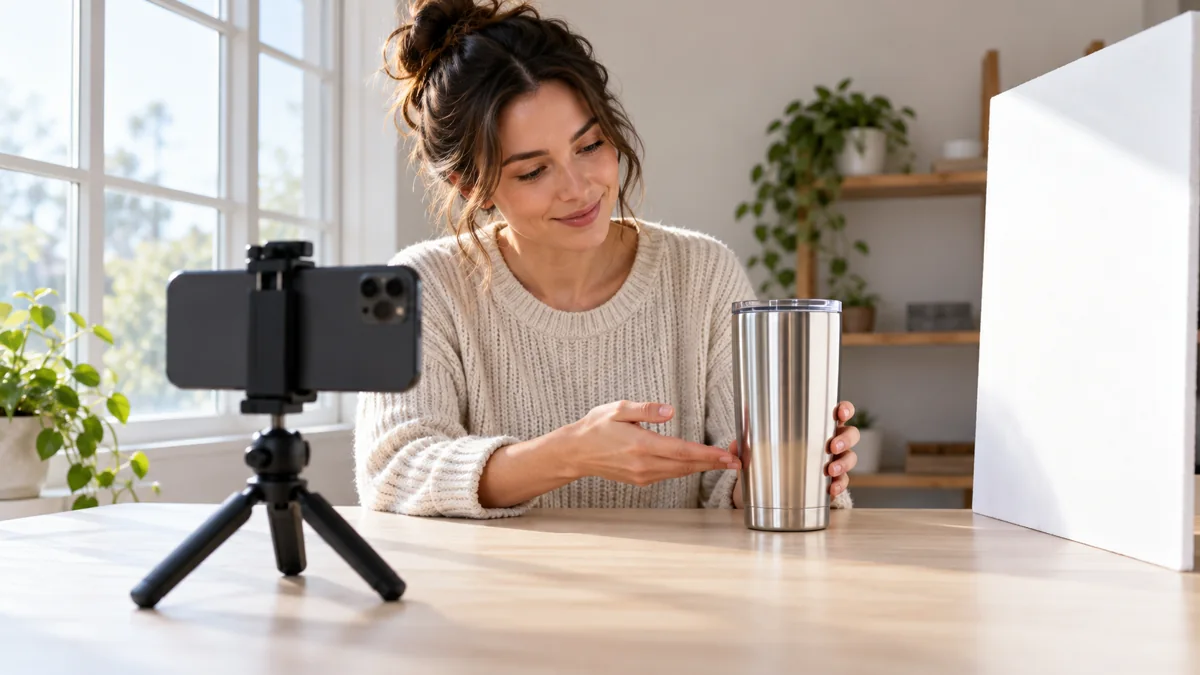
Direct answer: To film reflective products for Amazon review videos, start with a broad, soft light source to one side and move the camera or product until the reflection stops hiding the feature. Record a detail view and a normal-use view so viewers can judge both the construction and the real appearance.
A shiny travel tumbler can look clear to your eyes but become a white streak on your phone. The lid seam disappears, the surface looks smoother than it is, and the clip stops answering the buyer’s question. Before buying another light, change what the product is reflecting.
If you are building a repeatable filming routine, ACE training can help you plan the product video around that one useful detail.
Table of Contents
What should the viewer be able to see?
Choose one detail before arranging the shot. For a tumbler, that might be the lid opening, grip texture or way the handle folds. If the highlight hides that detail, the lighting needs work even when the overall picture looks attractive.
Separate a clear demonstration from a flattering beauty shot. A slow turn may show the finish well, while a fixed close view is better for showing a latch. Keep both when they answer different questions. Our guide to what makes a product useful for a short review helps identify the question before you film.
How can you build a simple window-light setup?
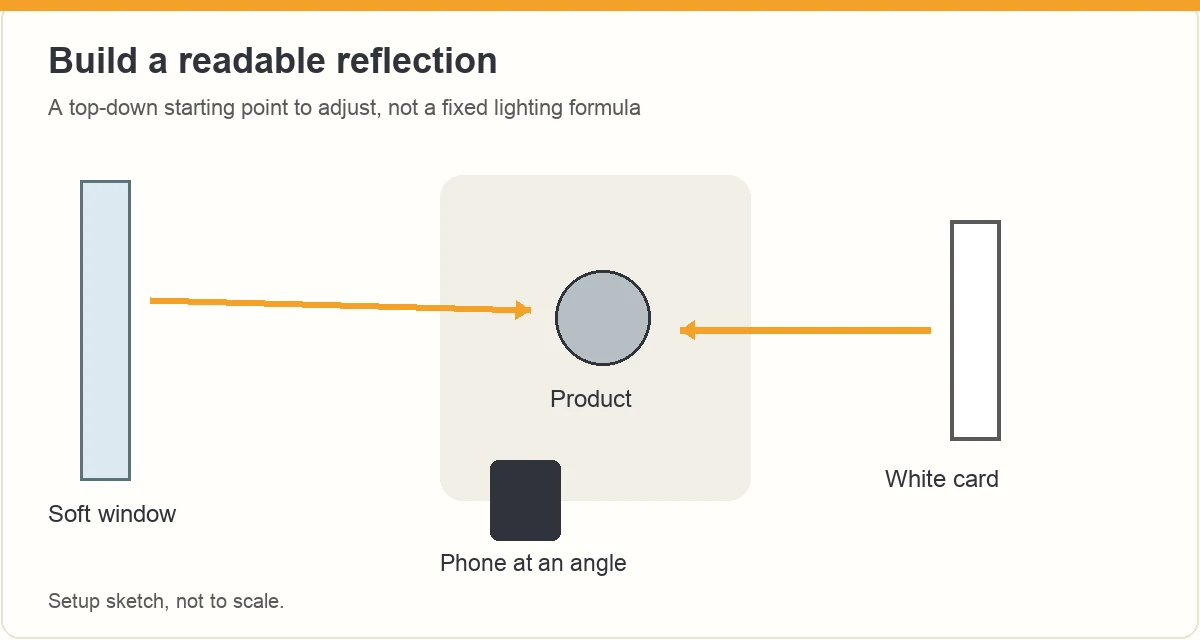
Put the product on a stable matte surface beside a window with indirect daylight. Start with the window to the side of the product rather than directly behind the phone. If direct sun creates a hard bright patch, move out of that beam or use an existing sheer curtain.
- Clean the lens and remove accidental fingerprints from the product.
- Place the phone on a stable support and frame the feature you want to explain.
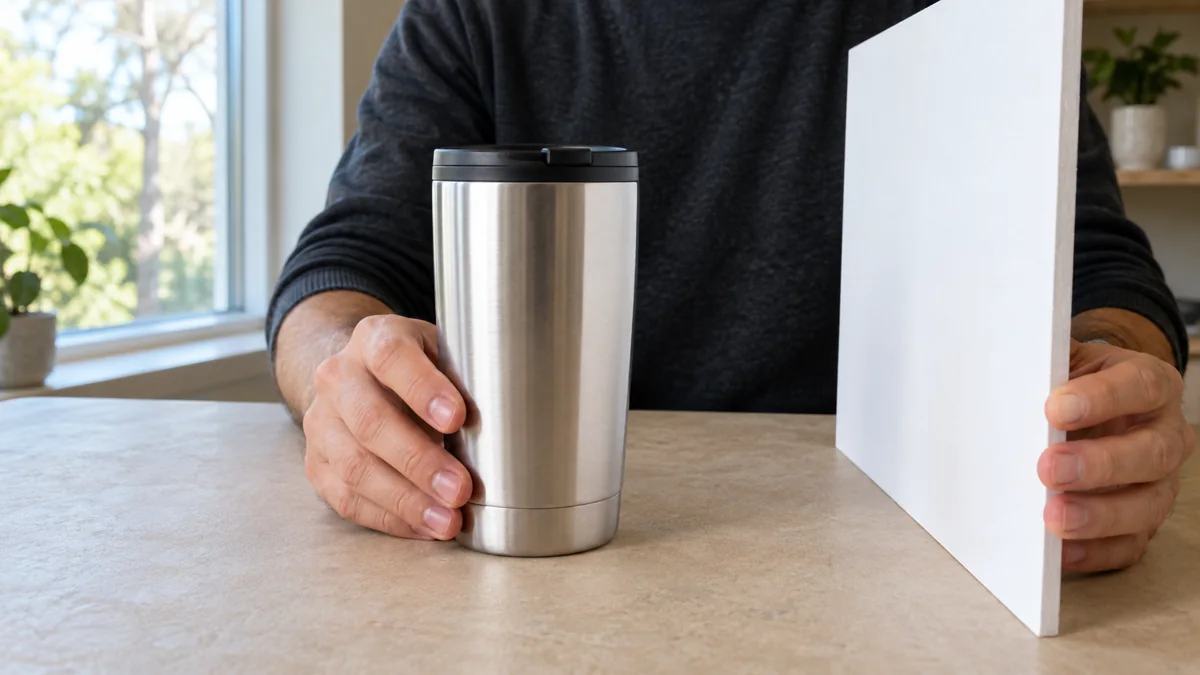
- Move a plain white card on the opposite side until the dark edge becomes readable.
- Turn off a conflicting room light if it creates an unwanted second reflection or color cast.
- Record a short check clip before filming the demonstration.
The card changes the reflected scene. It does not need to touch the product. Keep paper, cloth and other improvised materials away from heat, vents and moving parts. A bright window is useful only when it makes the important detail easier to see.
Why is the glare still there?
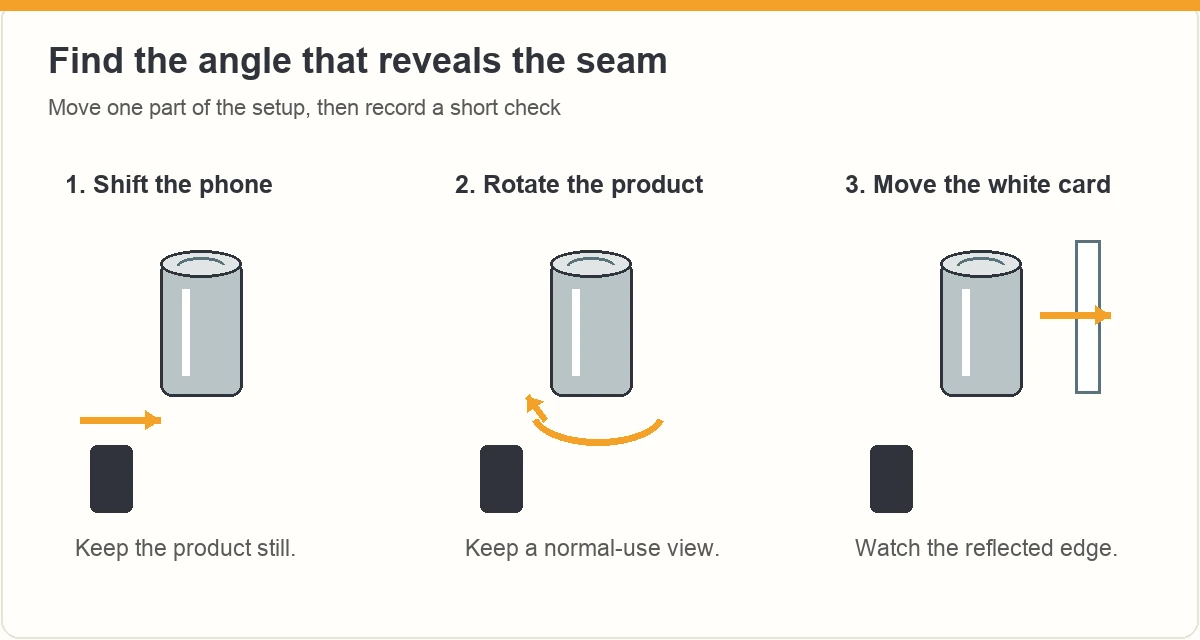
Change one thing at a time. Move the phone slightly left or right while keeping the product still. Next, rotate the product a little. Finally, move the white card. Watch the feature itself rather than the brightest patch on the screen.
| What you see | First change to try | Check afterward |
|---|---|---|
| A white stripe hides the seam | Shift the camera angle slightly | The seam is visible without hiding the opposite edge |
| The metal looks almost black | Bring a white card into the reflected scene | The surface still looks like metal |
| Your phone dominates the reflection | Move off the straight-on axis | The new angle still shows the relevant action |
| The brightness changes during use | Check focus and exposure controls | The hand and product remain readable together |
Do not keep lowering exposure until the entire product is dark. That can reduce the bright patch while also hiding useful information. A different angle is often a better first experiment.
Which camera controls are worth checking?
Look for focus and exposure controls in your own camera app. Apple documents a focus and exposure lock for video using Camera Control on supported iPhones. Availability and exact steps depend on the device. Use your model’s instructions rather than assuming every phone has the same control.
Make a short recording while your hand enters the frame and opens the lid. Play it back. If the brightness or focus changes enough to obscure the action, adjust the setup and repeat. Locking a bad exposure will not fix the reflection; establish a usable angle first.
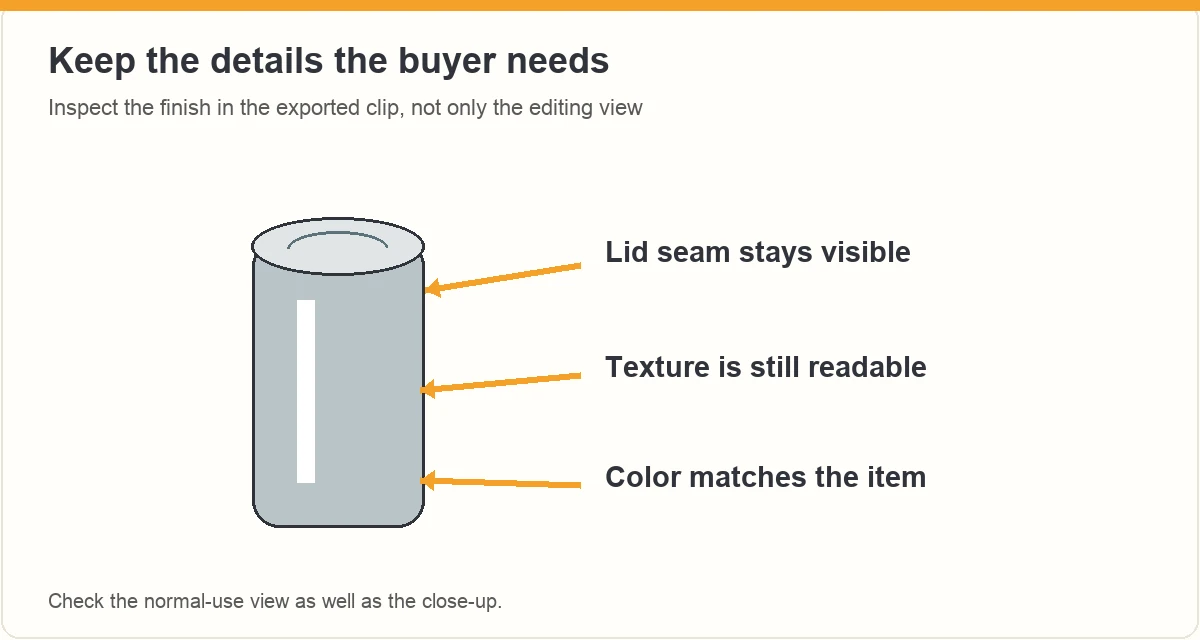
Keep color treatment modest. A warm filter can make stainless steel look gold, and heavy smoothing can remove texture a buyer needs to judge. Save the original file so you can compare it with the export.
What should a useful reflective-product sequence include?
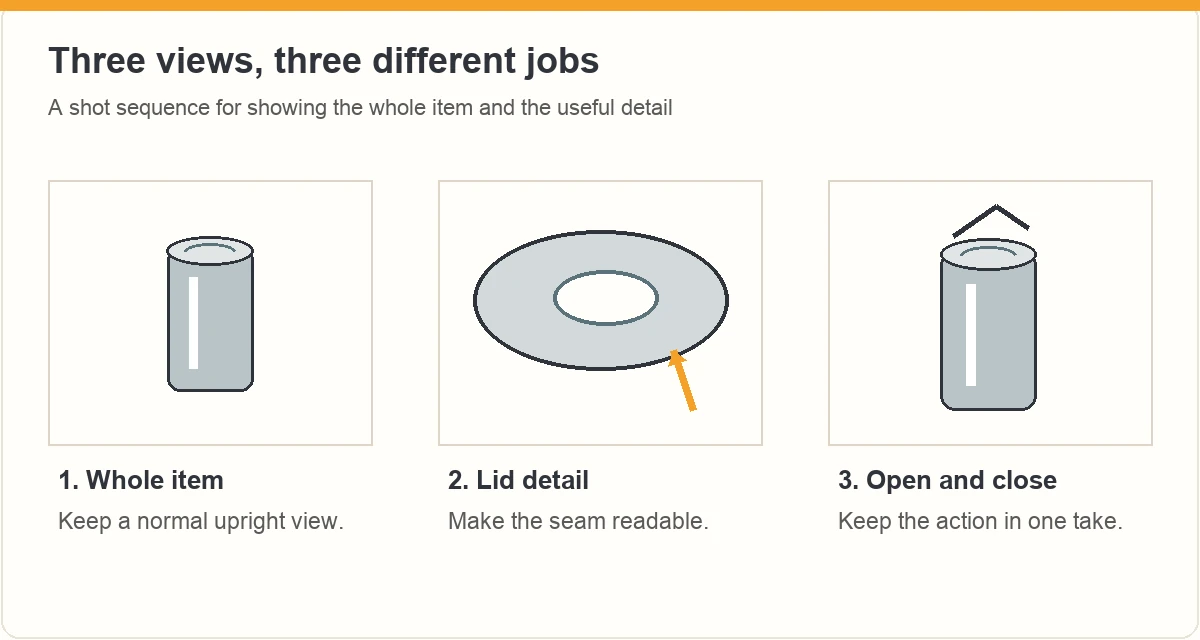
Use a three-part sequence: a normal view that establishes the product, a close view that answers the question, and a continuous action that shows the feature working. These are shot roles, not mandatory time limits.
For an illustrative tumbler video, start with the whole cup on the desk. Move to the lid mechanism from an angle where the seam remains visible. Then show the lid opening and closing in one uninterrupted take. A final slow rotation can reveal how the finish catches light.
Keep the product in a plausible use position. An extreme tilt may remove a reflection but make the handle or opening impossible to judge. If a buyer would use the item upright, include an upright shot. Use the video script guide to place the explanation beside the matching action.
How do you keep the demonstration honest?
Leave relevant marks, seams and limitations visible. Cleaning dust before filming is sensible. Editing out a scratch that is part of the condition you are describing changes the evidence. Likewise, an illustrated scene cannot establish that a specific product is scratch resistant or leakproof.
If a result depends on a condition, say what that condition was. “This is how the lid looks beside my window” is a narrower observation than “the finish never shows fingerprints.” The FTC’s influencer guidance says endorsements should reflect real experience and should not invent unsupported product claims.
Check the exact item and listing before associating the finished video with a product. Amazon’s published explanation of influencer videos emphasizes useful demonstration, meaningful information and correct ASIN association. A prettier clip is not a substitute for those basics.
What should you check before exporting?
- The feature is readable in the normal-use view and the close view.
- The finish looks consistent with the item in front of you.
- Hands do not cover the action at the critical moment.
- Captions do not sit over the seam, latch or measurement you are discussing.
- You have watched the export on a phone, not only in the editing timeline.
Return to the product-review decision guide if you cannot identify a useful question the finished clip answers. If it does answer one, stop adding beauty shots and keep the explanation concise.
Frequently asked questions
Do I need a ring light to film shiny products?
No particular light is required by this method. Start with indirect window light and a plain card, then inspect the feature in a short recording. A ring-shaped reflection can itself become distracting on glossy surfaces. Buy equipment only after you can name the problem your current setup cannot solve.
Should I remove every reflection from the video?
No. Reflections help viewers understand that a surface is glossy, curved or metallic. Move the reflection that hides useful detail, while keeping a normal view of the finish. A completely flattened appearance may be less informative than a controlled highlight that still looks like the real object.
Can I fix glare entirely in editing?
Do not depend on editing to recover detail that the recording never captured. First change the angle, reflected surroundings or exposure and record again. Use editing to organize the demonstration and make modest corrections, then compare the export with the original item before describing its finish or color.
Why does the brightness change when my hand enters the shot?
Your camera may be adjusting exposure or focus as the scene changes. Check the controls available on your own phone, establish a readable angle, then record your hand operating the feature. Play that clip back before filming the full sequence. A lock can keep a usable setting steady, but it cannot fix a reflection hiding the detail.
What should you do next?
Choose one difficult feature and make it visible in a normal-use shot. A clear lid opening or readable surface detail gives the viewer more useful information than a polished montage that hides the product.
ACE from Zonbase is an Amazon product research agent for creators. It shows which products have real demand and few existing videos, then helps you plan what to film and say. Start the free ACE training to plan your next review video.
Make your next close-up answer a question
Choose the lid, latch or finish detail your viewer needs to see. For help turning that detail into a complete product video, explore the current ACE training offer.
ACE is separate from Amazon. Training does not guarantee Amazon acceptance, placement or earnings. Check the current page for availability and offer details.
